


Second line in Kit softphone
During an active call in the Kit softphone app, you can make a second outbound call without ending the main call. This is useful when you need to contact another agent, group, queue, remote extension, or external phone number while talking to a customer.
The Second line button is displayed in the active call interface.
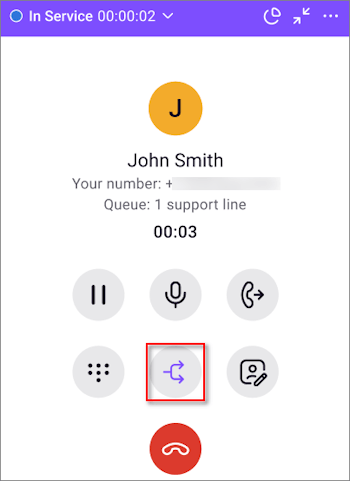
To start a second call:
- During an active call, click Second line.
- In the panel that opens, select who you want to call:
on the Contacts tab — a user, group, queue, or remote extension;
on the External number tab — an external phone number.
After you click Second line, the contact or external number selection panel opens.
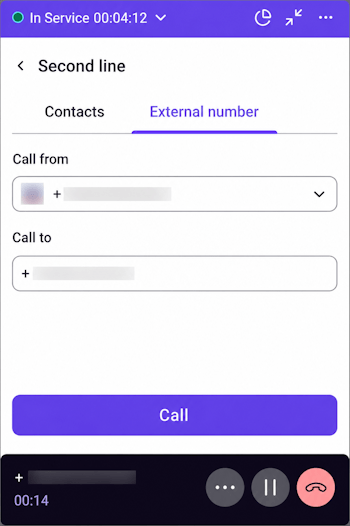
On the Contacts tab, you can select a queue, group, user, or remote extension. To find a contact, use the Search field. You can also filter the list by entity type or use the Only available switch.
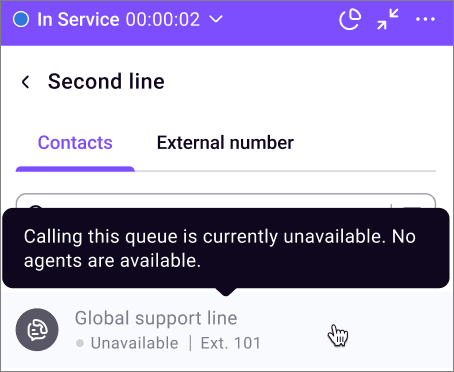
If an entity is unavailable for a call, it is displayed as inactive in the list. When you hover over it, a tooltip with the reason appears, for example:
Calling this queue is currently unavailable. No agents are available.
Calling this group is currently unavailable. No agents are available.
This user is no longer available for calls.
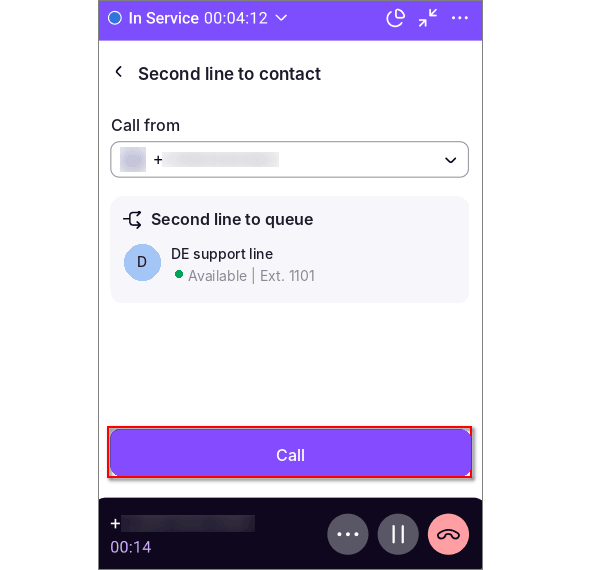
To call a selected contact:
- Click the required row in the list.
- Select a number in the Call from field.
- Click Call.
On the External number tab:
- Select a number in the Call from field.
- Enter the recipient number in the Call to field.
- Click Call.
The Call from and Call to fields are required.
If automatic Caller ID selection is available for outbound calls, you can enable it in the Call from field. In this case, the system selects a suitable number automatically.
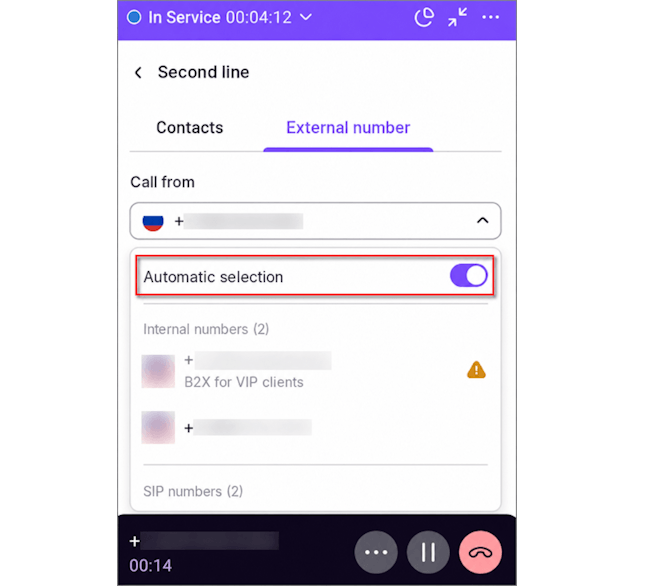
After you click Call, the main call is automatically put on hold, and the second call becomes active.
The app displays two calls at the same time:
Main call — the first call that was active before the second call started;
Second line — the second call made during the main call.
The active call has the Active badge. The call on hold has the Inactive badge.
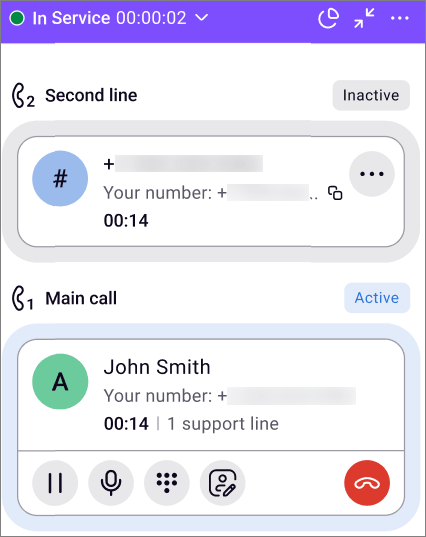
You can switch between calls. When you switch to another call, the current active call is automatically put on hold, and the selected call becomes active.
Only one call can be active at a time.
You can manage each call separately:
put the call on hold;
mute the microphone;
end the call.
If the second call cannot be started, the main call remains active, and the agent sees an error notification.
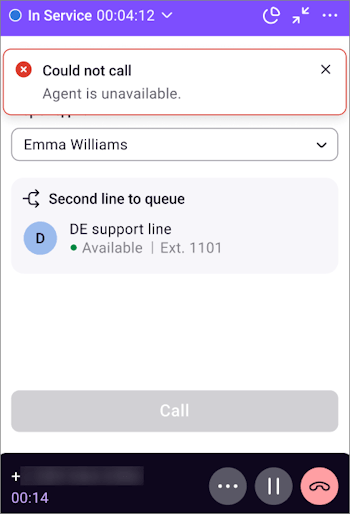
If an agent is already working with two calls, they cannot open another second line.