Routing rules
The automatic Caller ID selection can occur randomly or based on a predefined set of routing rules.
Routing rules are a mechanism that allows you to create phone number masks using regular expressions. When making an outbound call from the softphone or within an outbound campaign, the system checks the dialed phone number for matches with the masks specified in the routing rules. Depending on whether matches are found or not, the system selects the appropriate phone number for the call. For example, you can configure to use US phone numbers only for calls to the USA, and Brazilian phone numbers only for calls to Brazil. The feature increases the success rate of mass outbound calls, reduces the risk of number blocking, and helps maintain the company's reputation.
How it works?
Prerequisites
You create a set of routing rules.
For softphone calls, you enable the Use automatic Caller ID selection setting (in the General or user group settings) and select the By routing rules option with the specified routing rules set.
For an outbound campaign, on the Strategy tab, in the Automatic outbound number selection setting, you select the By routing rules option.
How number selection occurs
The agent dials a phone number and makes an outbound call.
The system checks the dialed phone number for matches with one of the rules in the set. The check starts with the top rule in the list.
The system finds a match between the dialed phone number and a mask in the rule.
The system takes the Caller ID mask from this same rule.
Based on this mask, the system selects one of the Caller IDs set for outbound calls in the General or user group settings.
If no matches are found
If the dialed phone number does not match any of the rules, the system uses the Default Caller ID set for outbound calls in the General settings, user group settings, or outbound campaign settings.
Contents
Creating a routing rules set
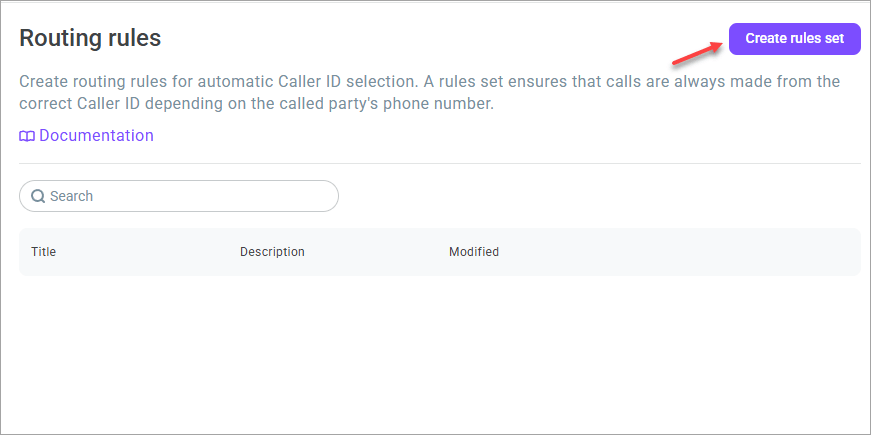
- Go to the Administration > Numbers > Routing rules section.
- Click the Create rules set button.
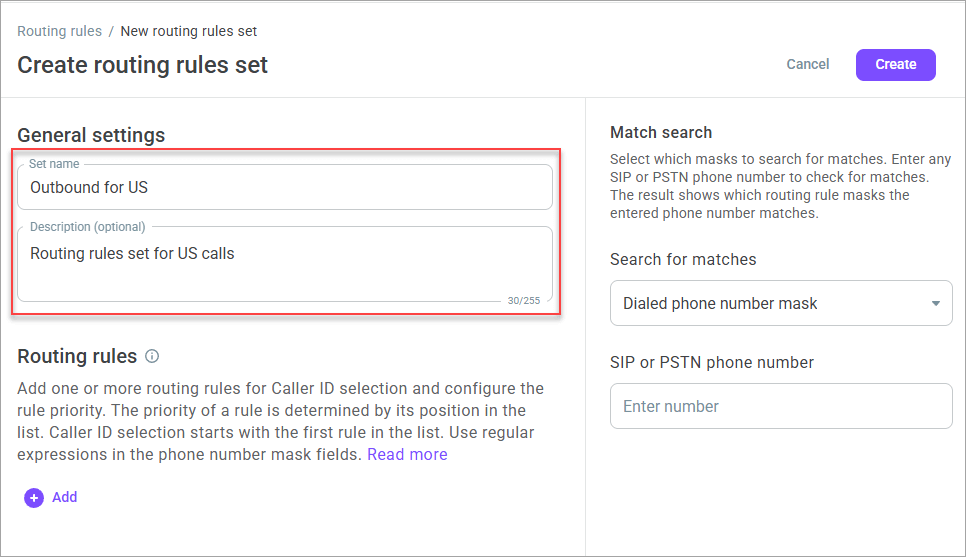
- Enter the set name. The maximum number of characters is 100.
- If necessary, add a description for the set. The maximum number of characters is 255.
- Click the Add button to add rules to the set.
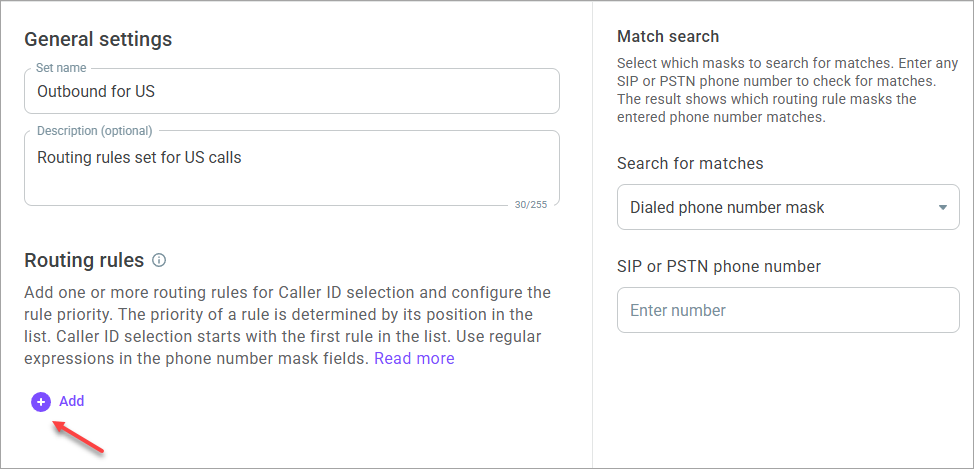
The maximum number of rules in a set is 50, and the minimum is 1. You cannot create a set without adding at least one rule.
- In the Dialed phone number mask field, enter a regular expression the system should use to check the dialed subscriber's phone number.
A regular expression is a special pattern consisting of a sequence of characters used to search for specific phone numbers or groups of phone numbers.
When adding a regular expression, use the /pattern/flags format.
Where:
pattern is the template you want to use for searching.
flags are additional parameters that can change the behavior of the search. For example, the * flag finds any sequence of characters in a string.
Examples of regular expressions
/.*/— finds any sequence of characters in a string, including an empty string (zero characters),/^1.*/— finds a string that starts with digit 1, followed by any number of any characters (including zero characters),/^52.*/— finds a string that starts with 52, followed by any number of any characters (including zero characters)./^[+]?12.*/— finds a string that starts with +12, followed by any number of any characters (including zero characters).
For more details about regular expression language elements, go here.
- In the Caller ID mask field, enter a regular expression the system will use to check the Caller ID.
- Add a description for the rule if necessary.
- Click Save.
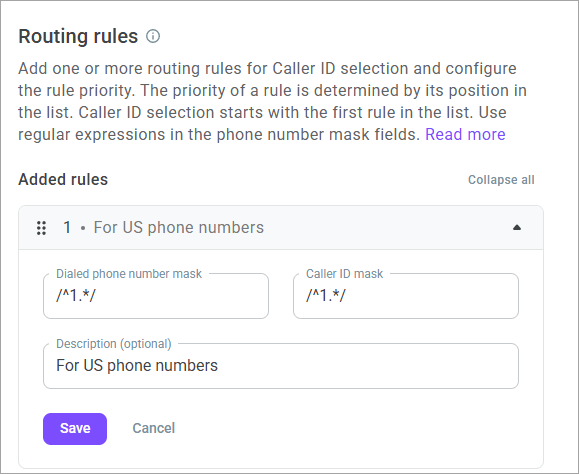
- Repeat steps 5-9 to add new rules to the set.
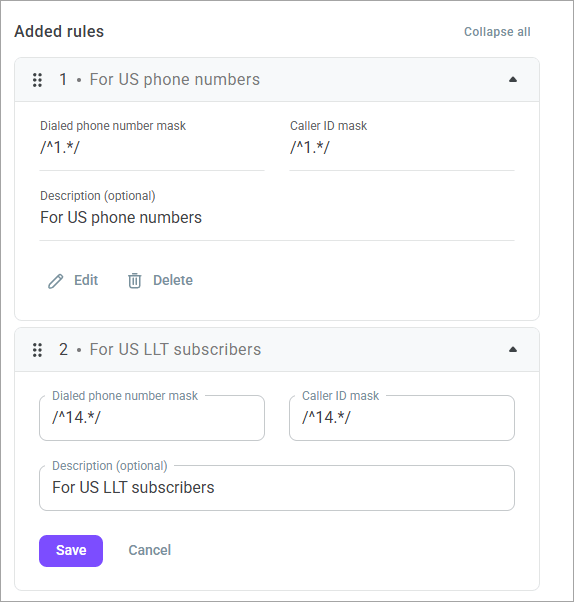
You cannot add two identical dialed phone number masks to a set. Caller ID masks can match.
- Drag and drop rules within the set to configure the desired priority. The priority of a rule is determined by its position in the list. The search for matches begins with the first rule in the list.
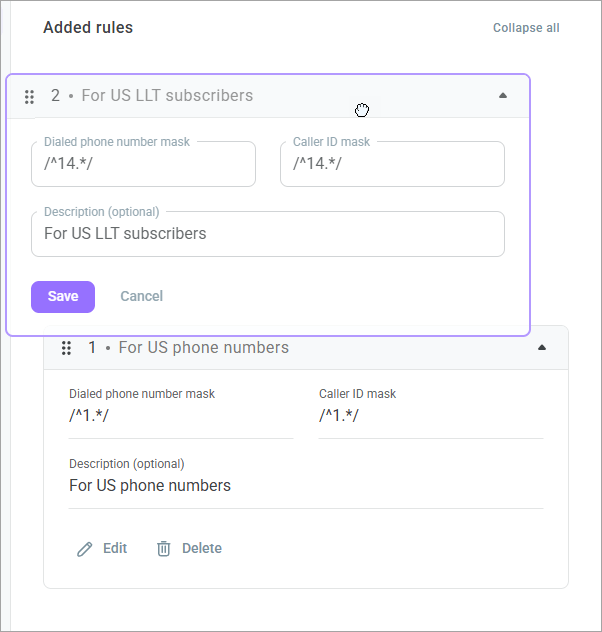
Testing the rules set
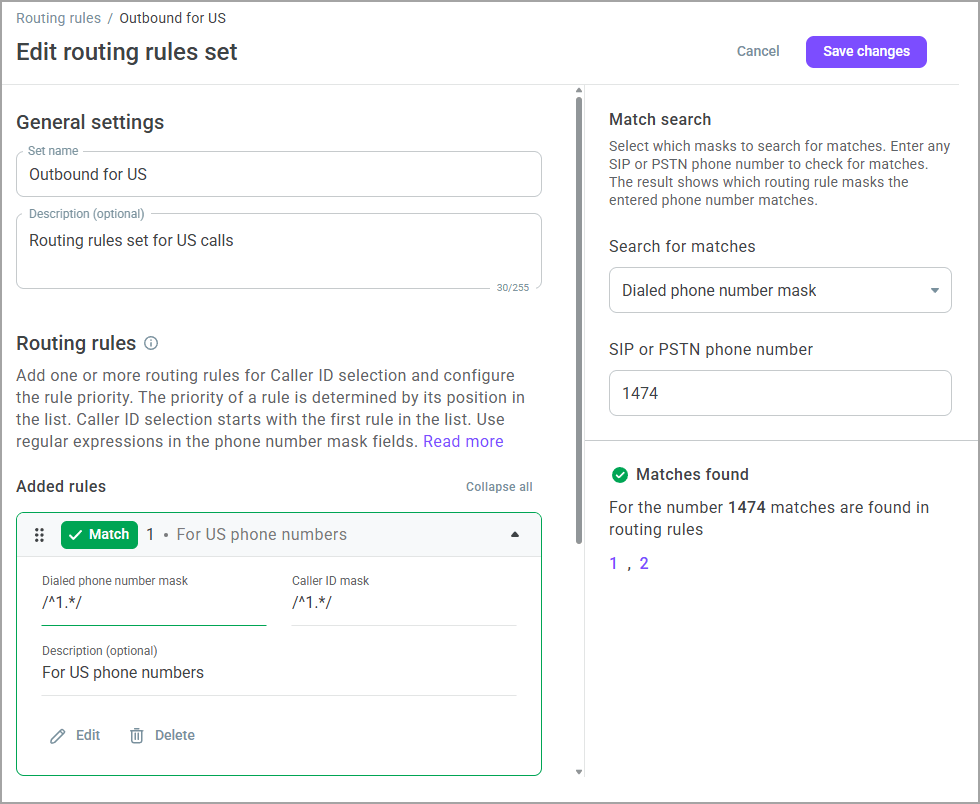
After adding the required number of rules to the set and creating the necessary sequence, you can test the set.
- To do this, in the form on the right, select which masks to search for matches (dialed phone number mask or Caller ID mask).
- Enter any SIP or phone number to check for matches.
The result shows which routing rule masks the entered number matches.
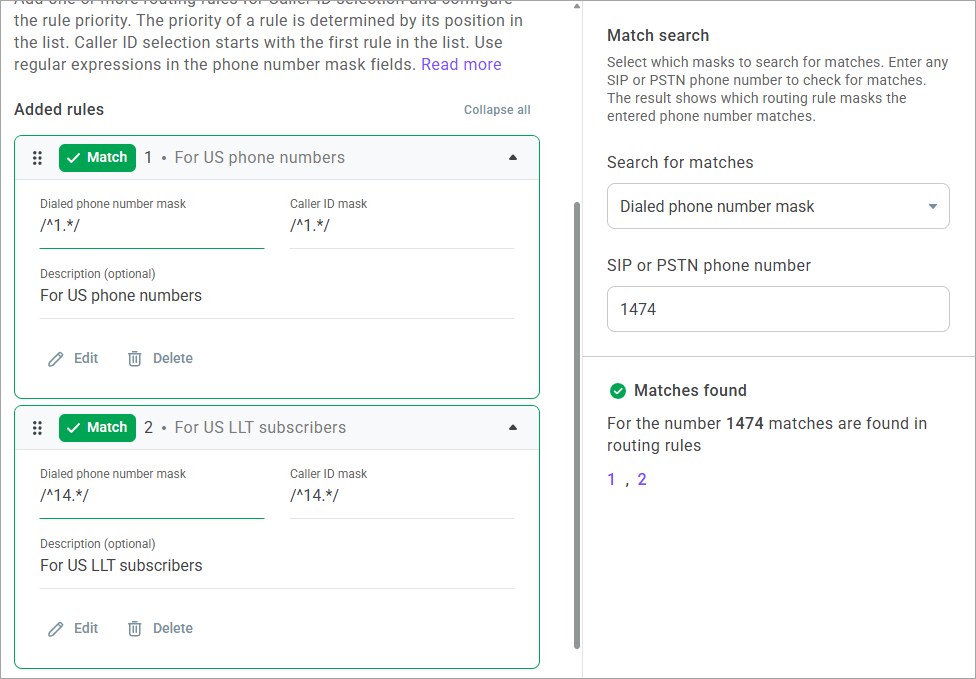
Example of routing rule operation
You add two rules to the set:
Dialed phone number mask:
/^1.*/, Caller ID mask:/^1.*/;Dialed phone number mask:
/^14.*/, Caller ID mask:/^14.*/.
You add the following Caller IDs for the user group: 14741234567, 17748765432, 17741661600.
You dial 14743641519 which falls under both rules. However, routing rule #1 is applied since it is higher up in the list. As a result, the system makes the call from a random Caller ID configured for the group.
If you drag rule #2 above, it becomes a higher priority. Consequently, the system considers the new priority and initiates the call from the Caller ID 14741234567.
If you dial 445558572394 which does not match any rule, the system uses the Default Caller ID specified for the user group and initiates the call from that phone number.
- After testing the rules, click the Create button to complete the creation of the set.
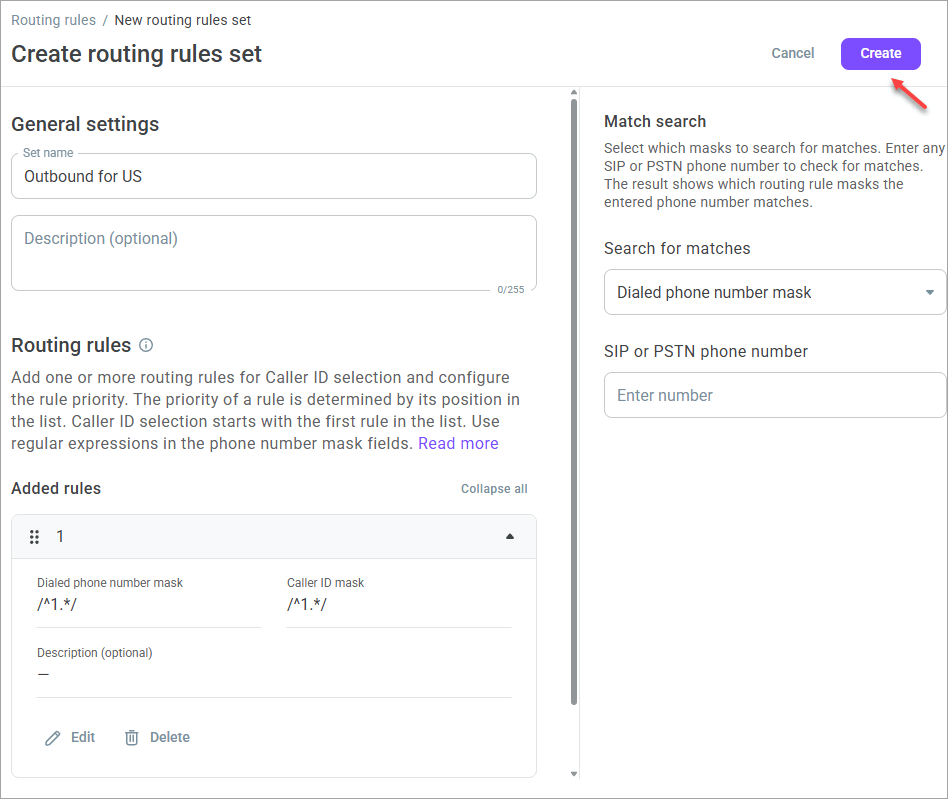
The created routing rules set is available for selection in the General settings, user group settings, and outbound campaigns when you choose the By routing rules option.
Reviewing the routing rules set list
When you create a routing rules set, it displays in the summary list of rules sets.
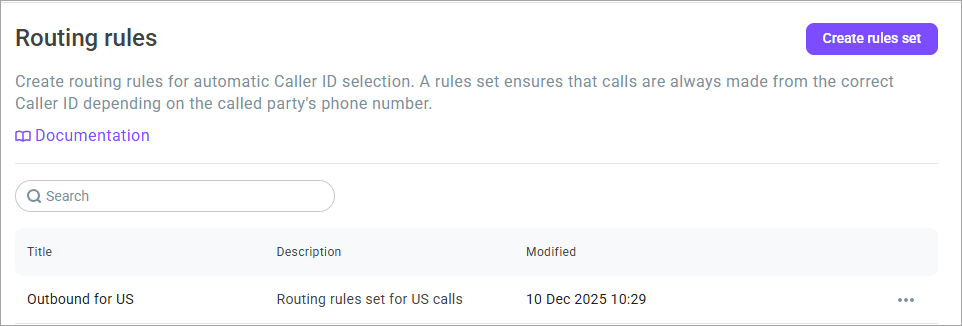
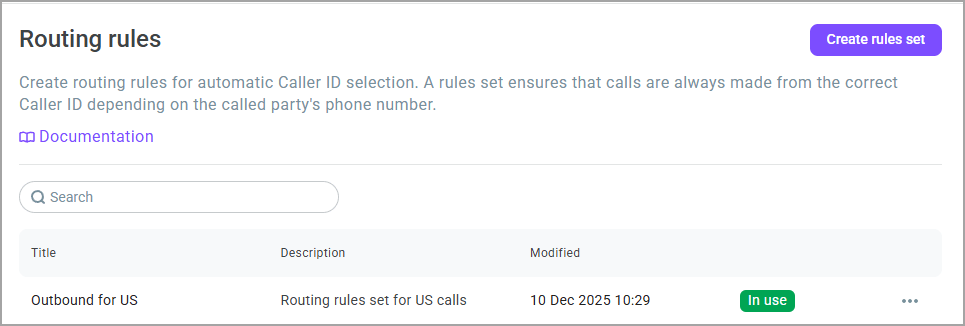
You can see the set name, its description, last edit date, and whether it is used in the General settings, group settings, or outbound campaigns.
Click the In use badge to see where exactly the routing rules set is applied.
Use the Action menu to duplicate, edit, or delete the set, as well as to copy its ID.
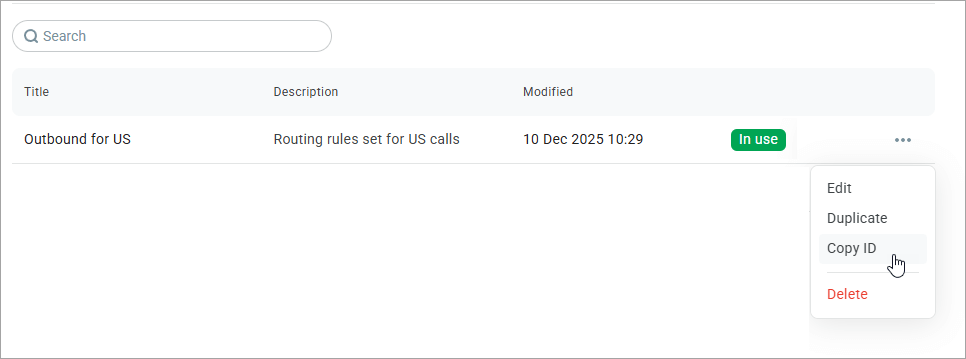
Duplicate — creates a copy of the set,
Copy ID — copies the unique identifier of the set to the clipboard,
Edit — allows you to modify all settings of the set, including editing and deleting rules within it, regardless of whether the set is in use or not,
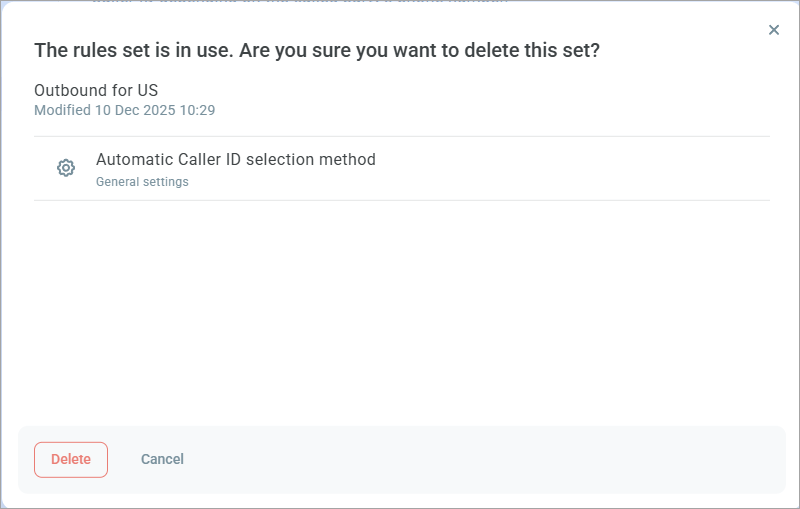
Delete — removes the routing rule set. If the set is used in the General settings, group settings, or outbound campaigns, this information displays in the confirmation window.